Hole Information
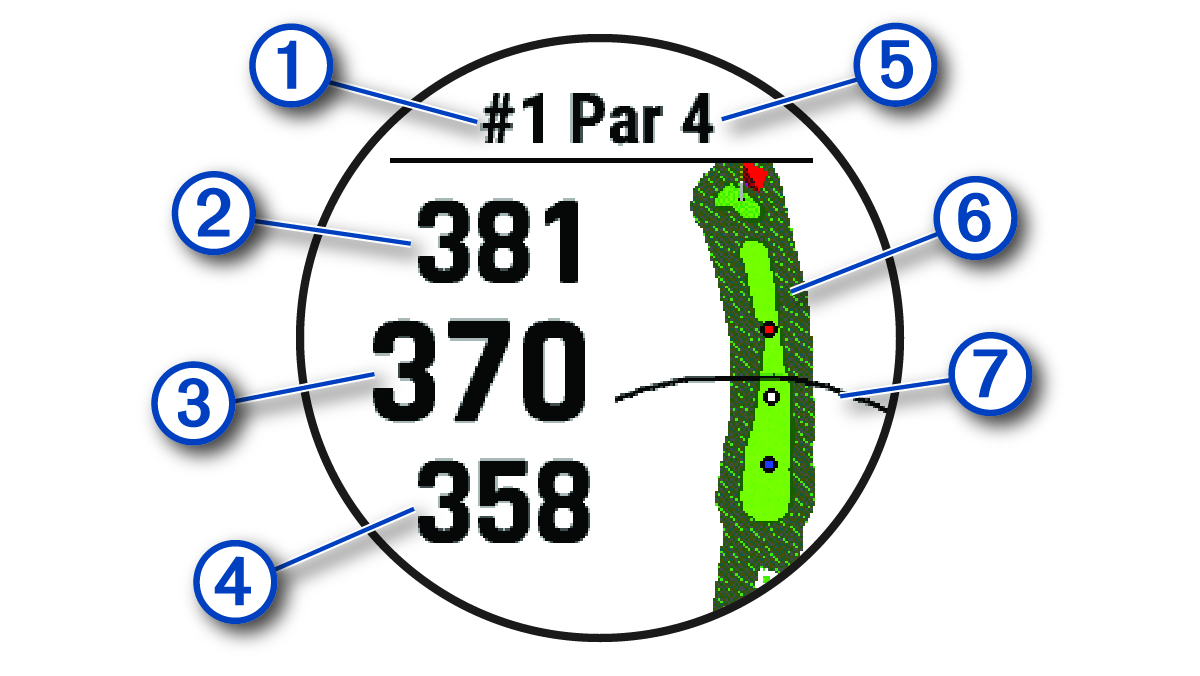
The device shows the current hole you are playing, and automatically transitions when you move to a new hole.
NOTE: Because pin locations change, the device calculates the distance to the front, middle, and back of the green, but not the actual pin location.
|
① |
Current hole number |
|
② |
Distance to the back of the green |
|
③ |
Distance to the middle of the green |
|
④ |
Distance to the front of the green |
|
⑤ |
Par for the hole |
|
⑥ |
Map of the green |
|
⑦ |
Driver distance from the tee box |
Big Numbers Mode
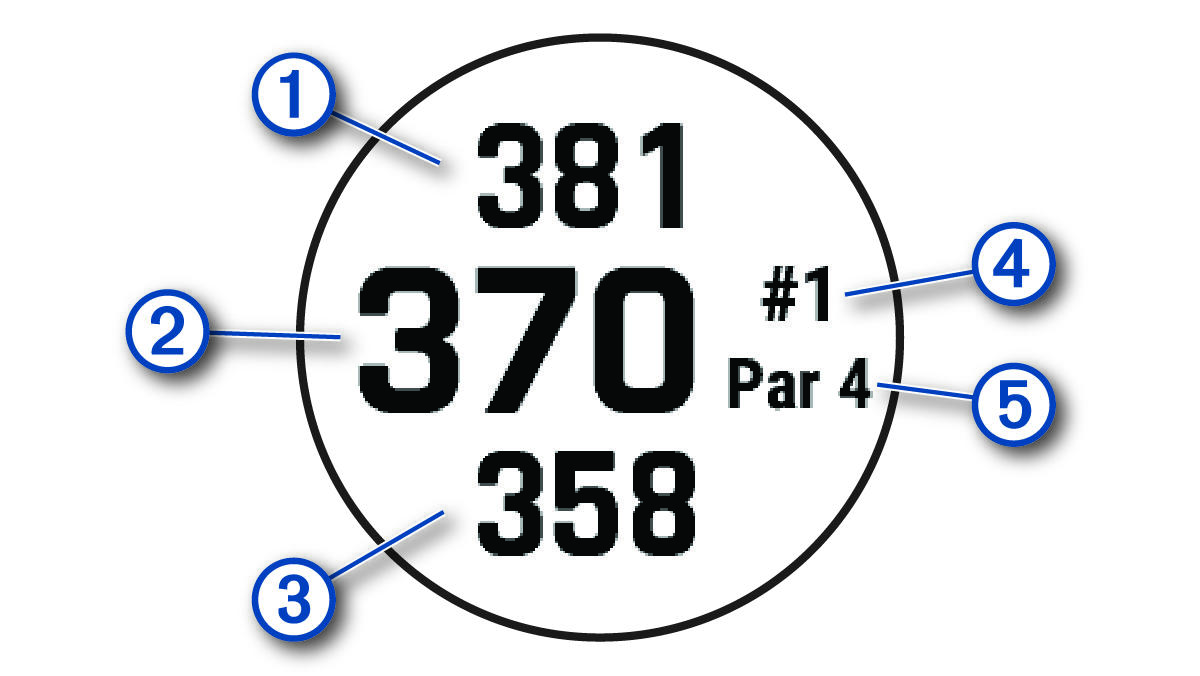
You can change the size of the numbers on the hole information screen.
Hold MENU, select the activity settings, and select Big Numbers.
|
① |
The distance to the back of the green |
|
② |
The distance to the middle of the green or selected pin position |
|
③ |
The distance to the front of the green |
|
④ |
The current hole number |
|
⑤ |
The par for the current hole |