Starting a Flight
- From the watch face, press START.
- Select Fly.
- Go outside and wait while the watch locates satellites.
- Press START to start the flight timer.
NOTE: Your activity data is recorded only while the flight timer is running. You can edit the activity settings to start the flight timer automatically at a specified threshold ().
- Start your activity.
- After you complete your activity, press STOP, and select Save.
Viewing Your SpO2 Readings in Flight
 WARNING
The SpO2 readings are intended for supplemental information only. Always defer to applicable flight instruments for primary awareness.
The watch has a wrist-based pulse oximeter to gauge the saturation of oxygen in your blood (SpO2). During a flight, the watch automatically takes pulse oximeter readings more frequently, so you can monitor your SpO2 percentage.
TIP: You can improve the accuracy of your SpO2 readings by turning on the All Day pulse oximeter mode ().
During a flight, scroll up or down to view the SpO2 data screen.
Your most recent reading appears as an oxygen saturation percentage and position on the color gauge.
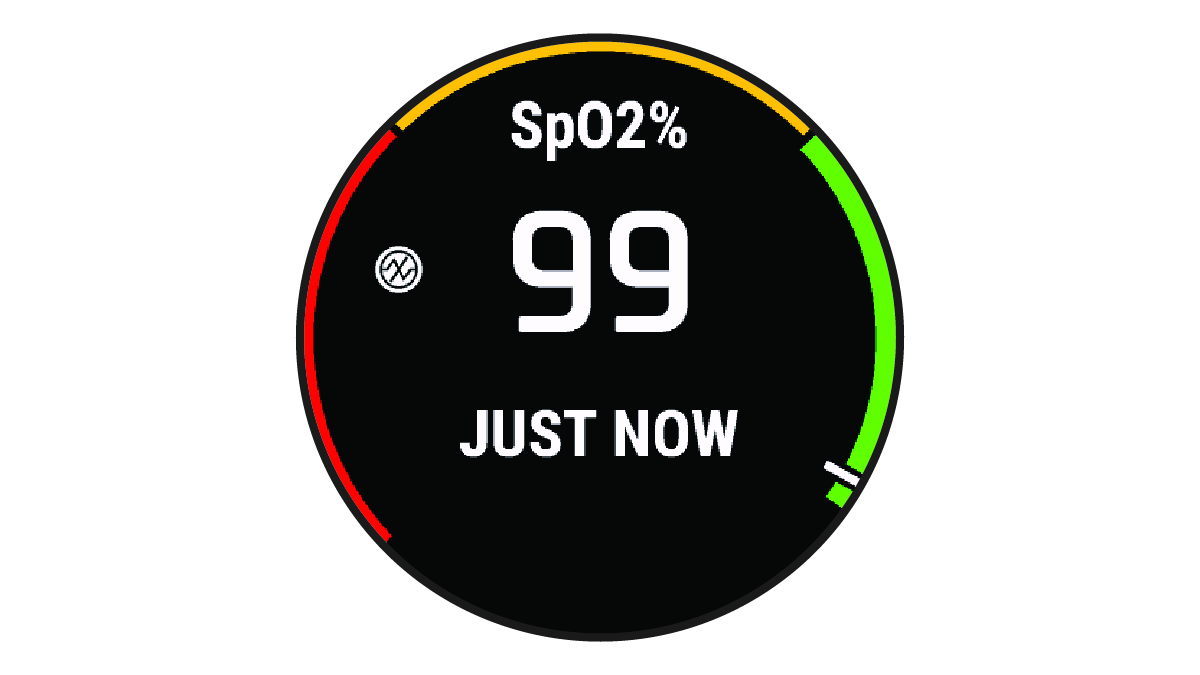
NOTE: If you are too active for the watch to determine your oxygen saturation, dashes appear instead of a percentage. You should remain stationary for up to 30 seconds while the watch reads your blood oxygen saturation.