Viewing Your SpO2 Readings in Flight
 WARNING
The SpO2 readings are intended for supplemental information only. Always defer to applicable flight instruments for primary awareness.
The tactix 7 device has a wrist-based pulse oximeter to gauge the saturation of oxygen in your blood (SpO2). During a flight, the device automatically takes pulse oximeter readings more frequently, so you can monitor your SpO2 percentage.
TIP: You can improve the accuracy of your SpO2 readings by turning on all-day acclimation mode in the pulse oximeter widget settings (Setting the Pulse Oximeter Mode,).
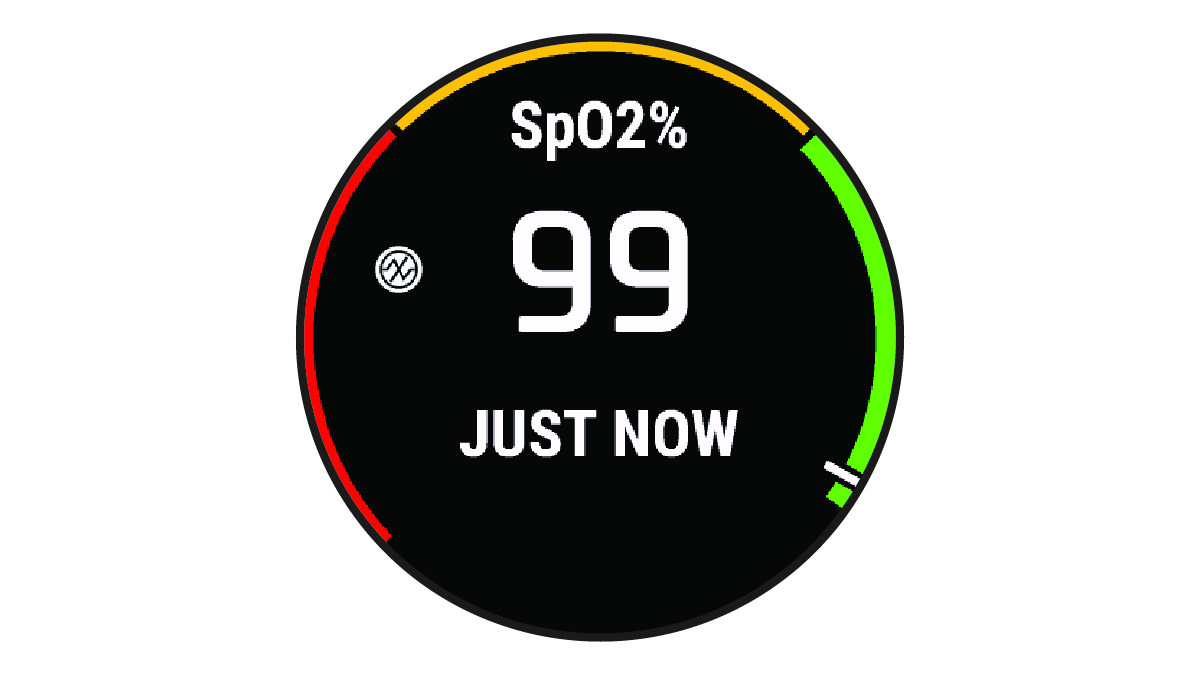
During a flight, scroll up or down to view the SpO2 data screen.
Your most recent reading appears as an oxygen saturation percentage and position on the color gauge.
NOTE: If you are too active for the device to determine your oxygen saturation, dashes appear instead of a percentage. You should remain stationary for up to 30 seconds while the device reads your blood oxygen saturation.