Viewing the Tide Data
When you pair your device with a smartphone, you can download up to seven days of tide data for your current location. You can update your location and download new tide data by selecting START from the tide screen.
- From the watch face, select START > Tides.
A 24-hour tide chart appears, showing the high tides
 and low tides
  for the current date.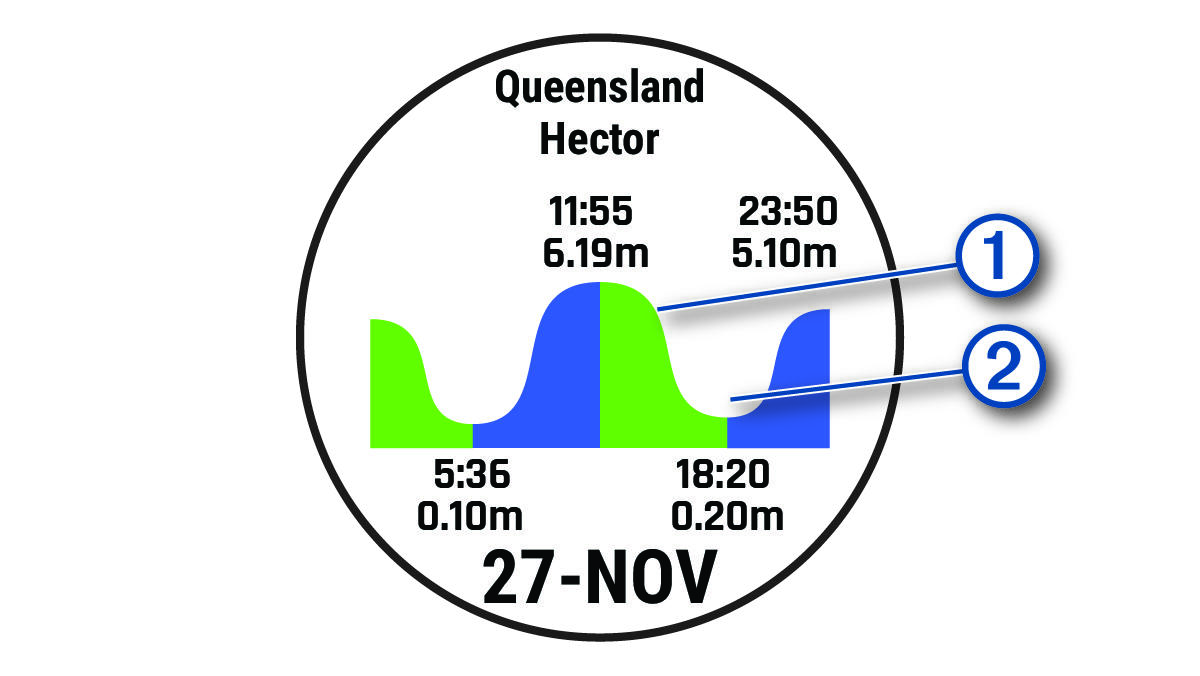
- Select UP or DOWN to view the tide data from other days.
NOTE: Depending on your GPS location, the tide information is compiled from data provided by Taiwan Central Weather Bureau in Taiwan, Japan Meteorological Agency in Japan, National Marine Data Information Center (through QWeather) in China, Korea Hydrographic and Oceanographic Agency in Korea, and World Weather Online in other parts of the world.