Altimeter
 WARNING
This watch is not intended to provide primary flight information and is to be used for supplemental purposes only.
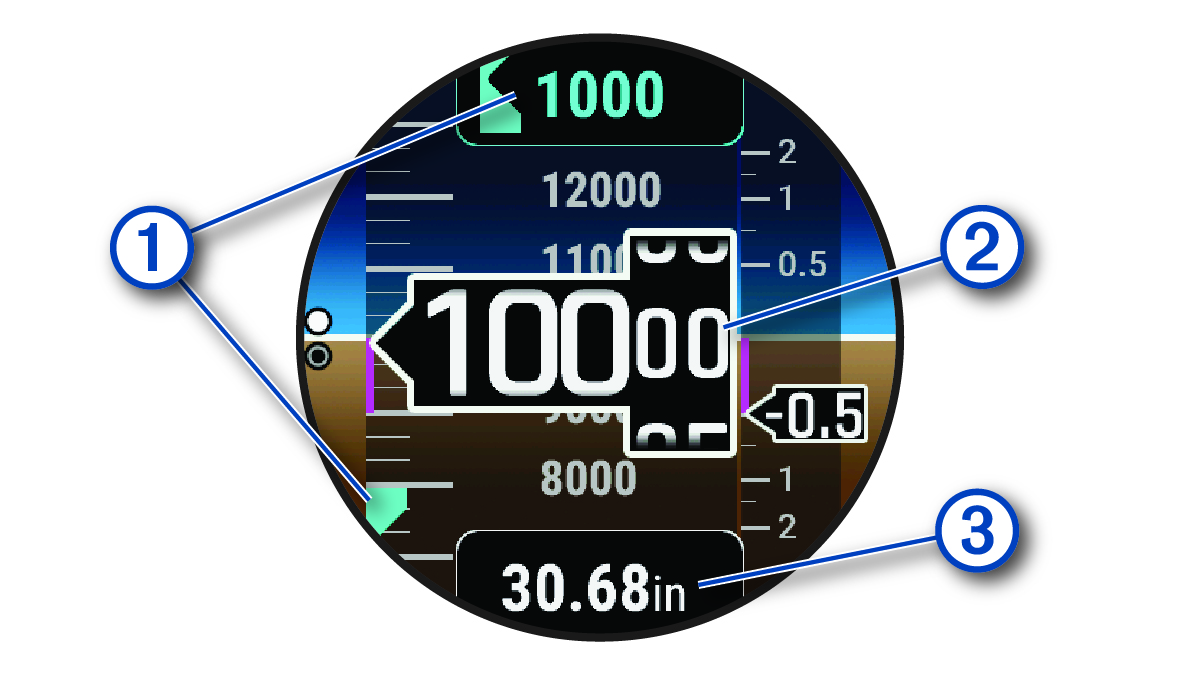
|
|
Alert altitude |
|
|
Pressure altitude |
|
|
Barometric pressure |


Calculating Density Altitude
You can calculate the density altitude at your current location by adjusting the temperature and barometric pressure.
- From the watch face, press UP or DOWN to view the altimeter glance.
- Press DOWN to view the density altitude calculator.
- Press START to enter edit mode.
NOTE: If weather information is available from the nearest METAR station, the temperature and barometric pressure values are prepopulated and the station identifier appears.
- Select Pressure, and press UP or DOWN to adjust the barometric pressure until the Indicated Alt.value matches your known elevation or mean sea level (MSL).
The density altitude calculation updates as you modify the value.
- Press START to save the value.
- Select Temp., and press UP or DOWN to set the temperature to the outside air temperature.
The density altitude calculation updates as you modify the value.
- Press START to save the value.
- Press BACK to exit edit mode.
Viewing Aviation Weather Information
 WARNING
This watch is not intended to provide primary flight information and is to be used for supplemental purposes only.
- From the watch face, press UP or DOWN to view the aviation weather glance.
- Press START.
- Select an option:
NOTE: Model output statistics and meteograms are available for United States airports only.
WARNING
This watch is not intended to provide primary flight information and is to be used for supplemental purposes only.
- From the watch face, press UP or DOWN to view the aviation weather glance.
- Press START.
- Select METAR.
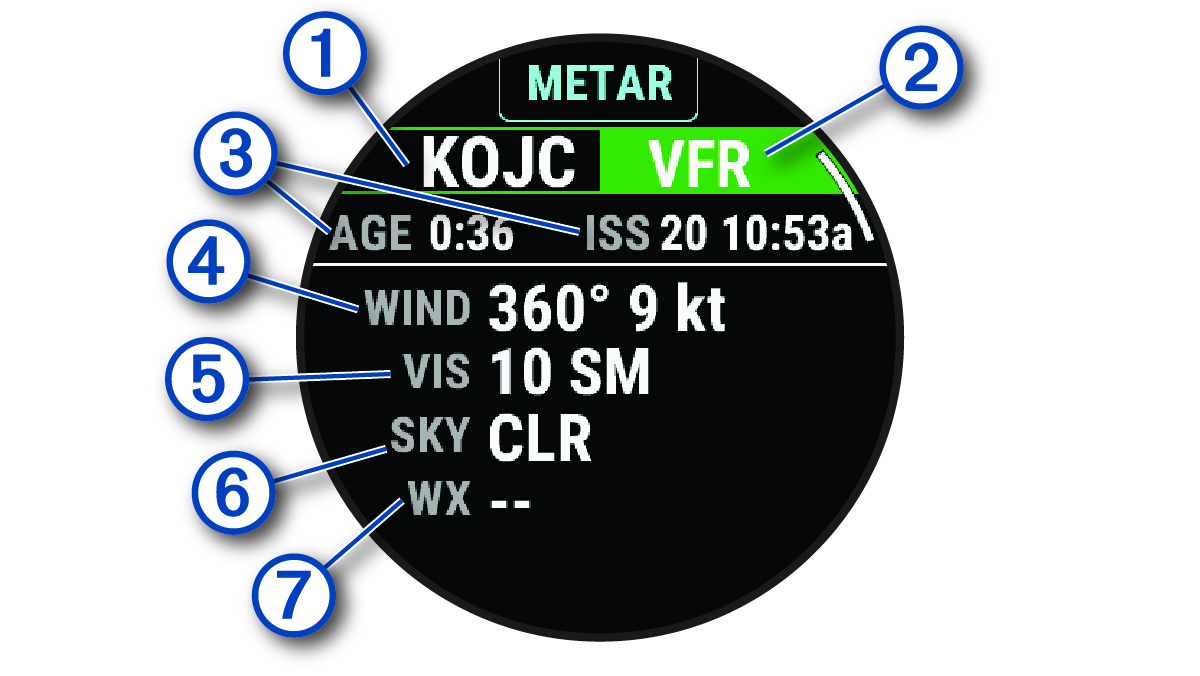
|
|
Airport identifier |
|
|
Aviation flight category |
|
|
Age of the data and when the report was issued |
|
|
Wind direction, speed, and gusts |
|
|
Visibility in statute miles |
|
|
Sky conditions |
|
|
Weather conditions |


- Press DOWN to view additional information.
WARNING
This watch is not intended to provide primary flight information and is to be used for supplemental purposes only.
- From the watch face, press UP or DOWN to view the aviation weather glance.
- Press START.
- Select TAF.
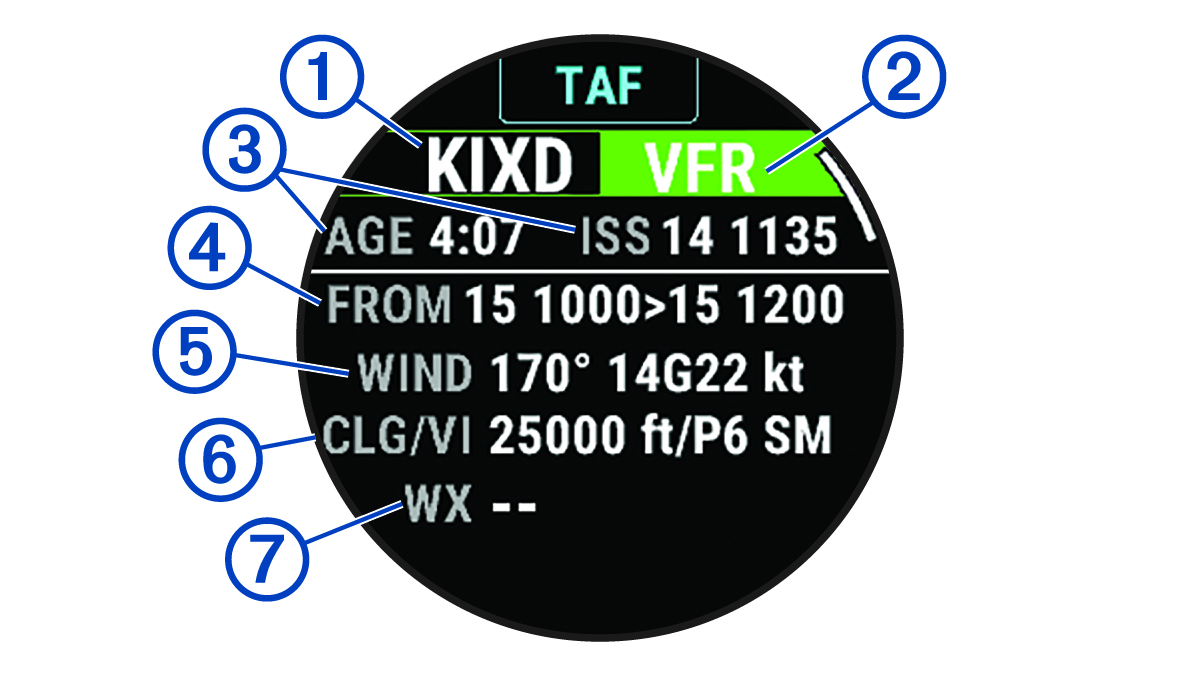
|
|
Airport identifier |
|
|
Aviation flight category |
|
|
Age of the data and when the report was issued |
|
|
Time period covered in the report |
|
|
Wind direction, speed, and gusts |
|
|
Height of the base of the lowest clouds and visibility in statute miles |
|
|
Weather conditions |
- Press DOWN to view reports for later times.