Setting Up the Watch
Before you can use your watch, you must plug it into a power source to turn it on.
To use the connected features of the Lily 2 watch, it must be paired directly through the Garmin Connect app, instead of from the Bluetooth® settings on your phone.
- From the app store on your phone, install the Garmin Connect app.
- Pinch the charging clip
 .
.
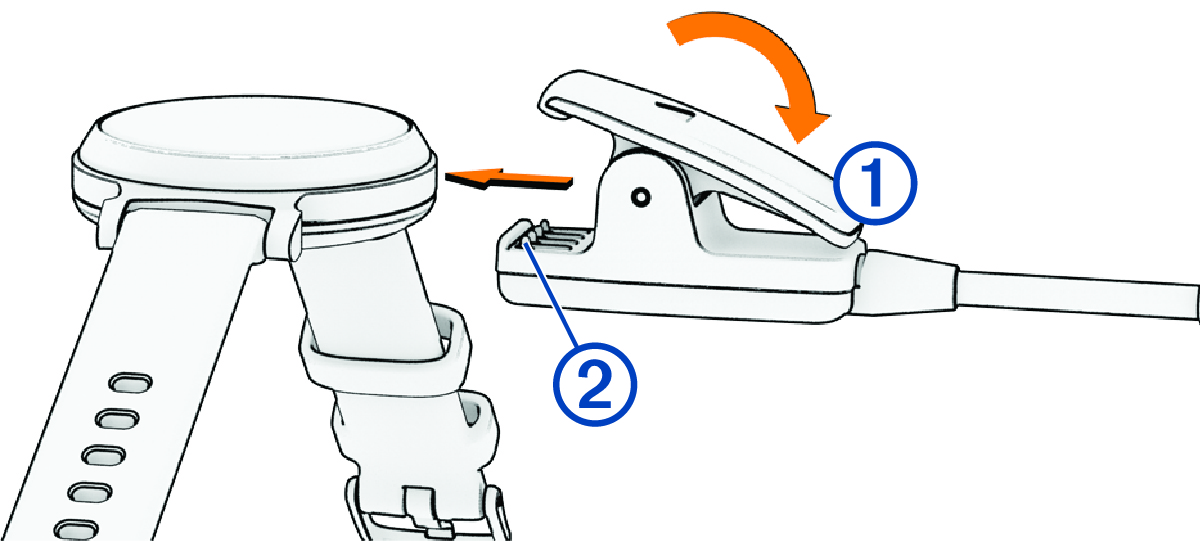
- Align the clip with the contacts on the back of the watch
 .
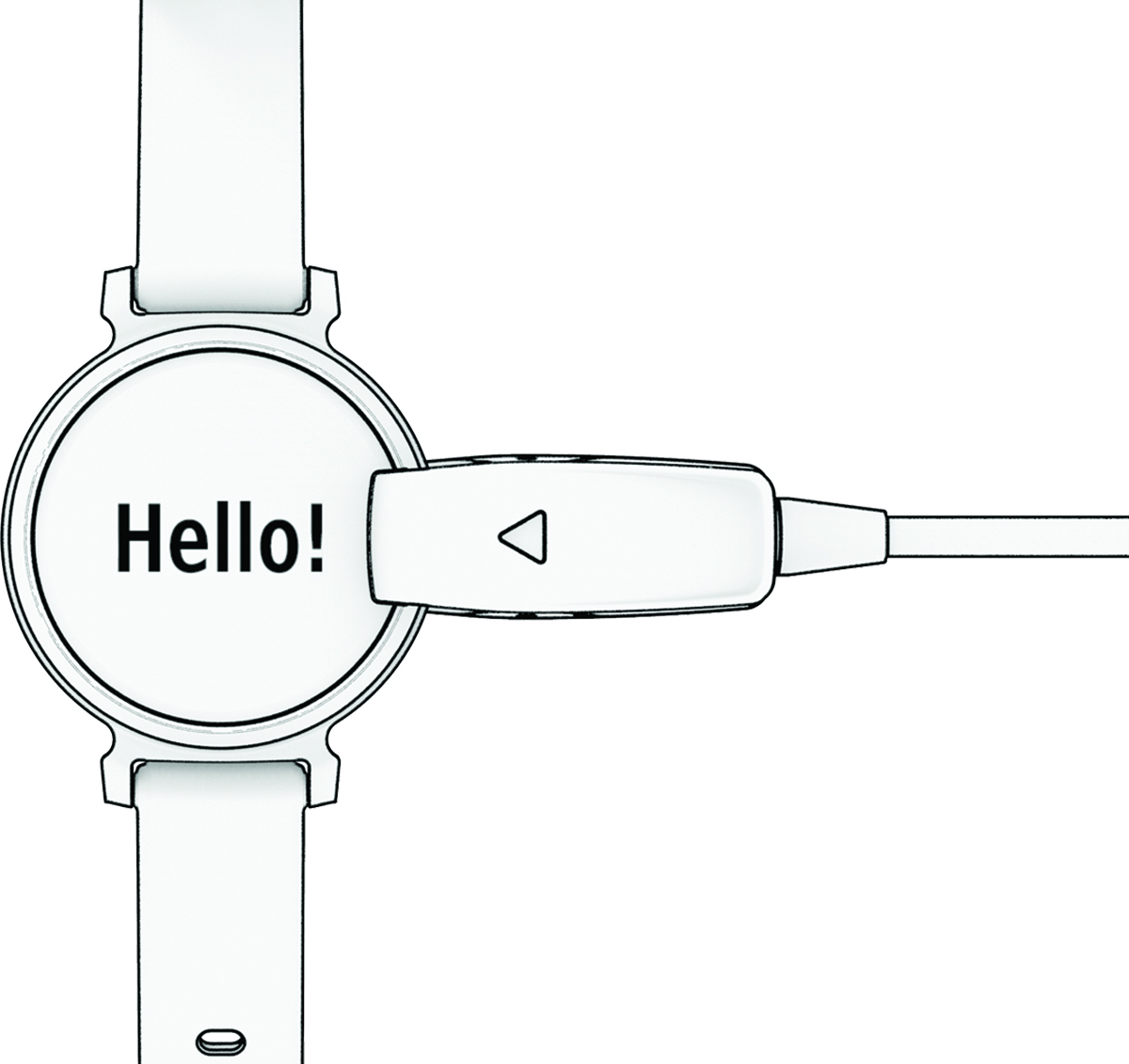
. - Plug the USB cable into a power source to turn on the watch (Charging the Watch).
Hello! appears when the watch turns on.
- Select an option to add your watch to your Garmin Connect account:
- If this is the first device you have paired with the Garmin Connect app, follow the on-screen instructions.
- If you have already paired another device with the Garmin Connect app, select
 > Garmin Devices > Add Device, and follow the on-screen instructions.
After you pair successfully, a message appears, and your watch syncs automatically with your phone.