Garmin Connect
You can connect with your friends on Garmin Connect. Garmin Connect gives you the tools to track, analyze, share, and encourage each other. Record the events of your active lifestyle including runs, walks, rides, swims, hikes, triathlons, and more. To sign up for a free account, you can download the app from the app store on your phone (Garmin.com/connectapp), or go to connect.Garmin.com.
Store your activities: After you complete and save an activity with your watch, you can upload that activity to your Garmin Connect account and keep it as long as you want.
Analyze your data: You can view more detailed information about your activity, including time, distance, elevation, heart rate, calories burned, cadence, running dynamics, an overhead map view, pace and speed charts, and customizable reports.
NOTE: Some data requires an optional accessory such as a heart rate monitor.
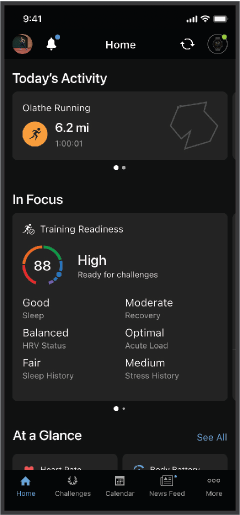
Plan your training: You can choose a fitness goal and load one of the day-by-day training plans.
Track your progress: You can track your daily steps, join a friendly competition with your connections, and meet your goals.
Share your activities: You can connect with friends to follow each other’s activities or share links to your activities.
Manage your settings: You can customize your watch and user settings on your Garmin Connect account.
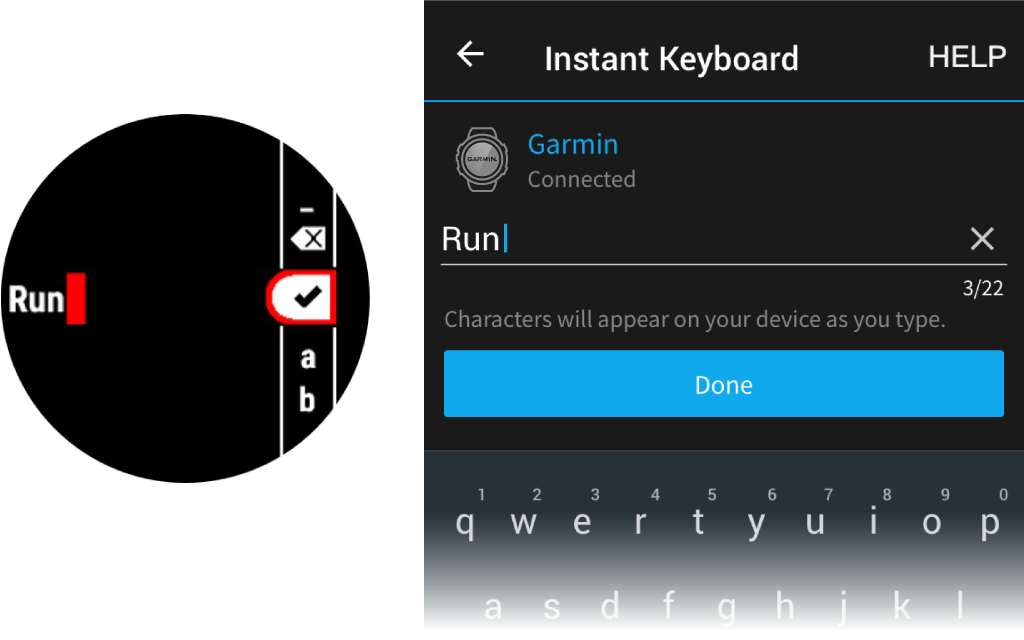
Instant Keyboard: Allows you to quickly enter text to your device using your smartphone’s keyboard.
After you pair your watch with your phone (), you can use the Garmin Connect app to upload all of your activity data to your Garmin Connect account.
- Verify the Garmin Connect app is running on your phone.
- Bring your watch within 10 m (30 ft.) of phone.
Your watch automatically syncs your data with the Garmin Connect app and your Garmin Connect account.
Updating the Software Using the Garmin Connect App
Before you can update your watch software using the Garmin Connect app, you must have a Garmin Connect account, and you must pair the watch with a compatible phone ().
Sync your watch with the Garmin Connect app ().
When new software is available, the Garmin Connect app automatically sends the update to your watch. The update is applied when you are not actively using the watch. When the update is complete, your watch restarts.
Entering Text with Instant Keyboard
Instant Keyboard allows you to quickly enter text to your device using Garmin Connect app.
A keyboard will appear in Garmin Connect app whenever a text field appears on your device. As you type on the keyboard, the characters will be entered simultaneously to the text field on your device.
Instant Keyboard is enabled by default. To disable Instant Keyboard, go to Settings > Instant Keyboard in Garmin Connect app.
NOTE: Garmin Connect app must be open and paired with your device when the text field appears.