Pairing the HRM 200 with the Garmin Connect App
You should pair the HRM 200 with the Garmin Connect app before you put it on. This allows you to easily see the LED and press the button.
The Garmin Connect app allows you to customize settings and receive software updates.
- On the HRM 200 module, press the button
 to wake it up.
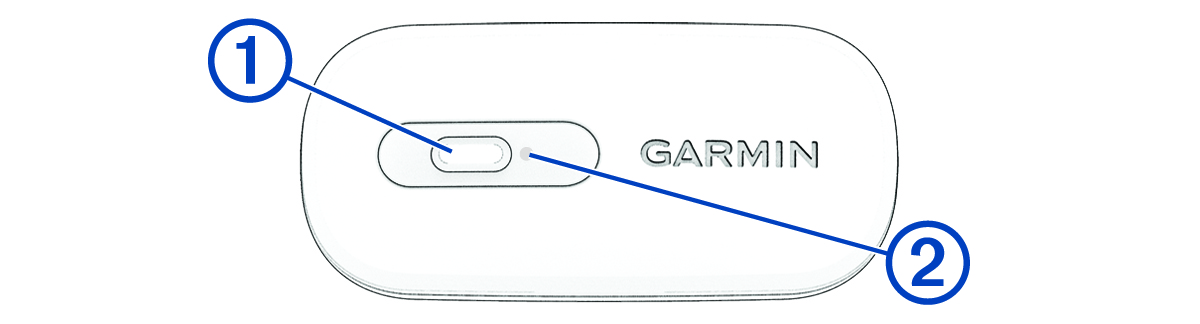
The LED  flashes
  when it is active and transmitting.
NOTE: The LED stops flashing after 2 minutes. You can press the button to restart the LED (Customizing the HRM 200 Settings in the Garmin Connect App).
- From the app store on your phone, install and open the Garmin Connect app.
- Hold the button for 4 seconds to enter pairing mode.
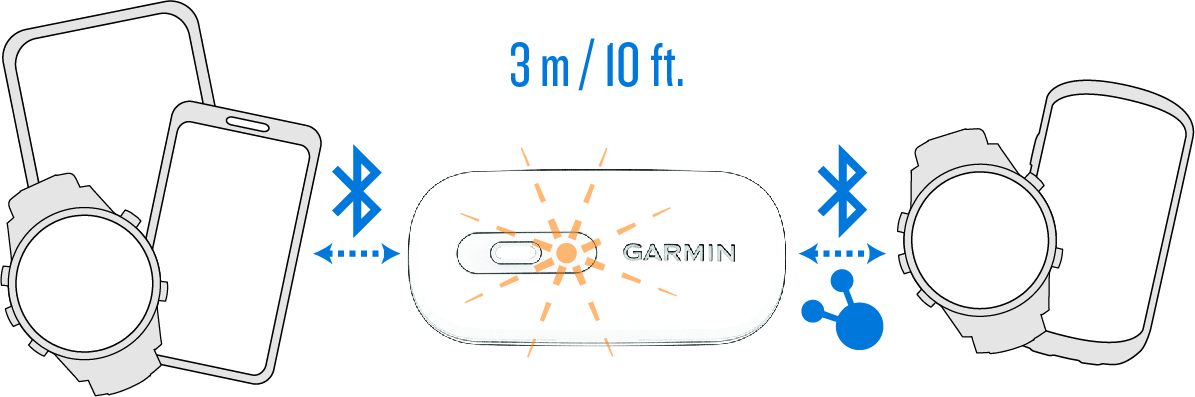
The LED flashes  continuously.
The HRM 200 is in pairing mode for 5 minutes.
To end pairing mode, you can hold the button for 4 seconds.
- Select an option to add your HRM 200 to your Garmin Connect account:
- If this is the first time you are pairing a device with the Garmin Connect app, follow the on-screen instructions.
- If you have already paired another device with the Garmin Connect app, select
 > Garmin Devices > Add Device, and follow the on-screen instructions.