Pairing the HRM 200 with Your Compatible Device
You should pair the HRM 200 to your compatible device before you put it on. This allows you to easily see the LED and press the button.
You can pair the HRM 200 to your compatible Garmin device, smartwatch, tablet, or fitness equipment (Connection Types and LED Behavior).
- On the HRM 200 module, press the button
 to wake it up.
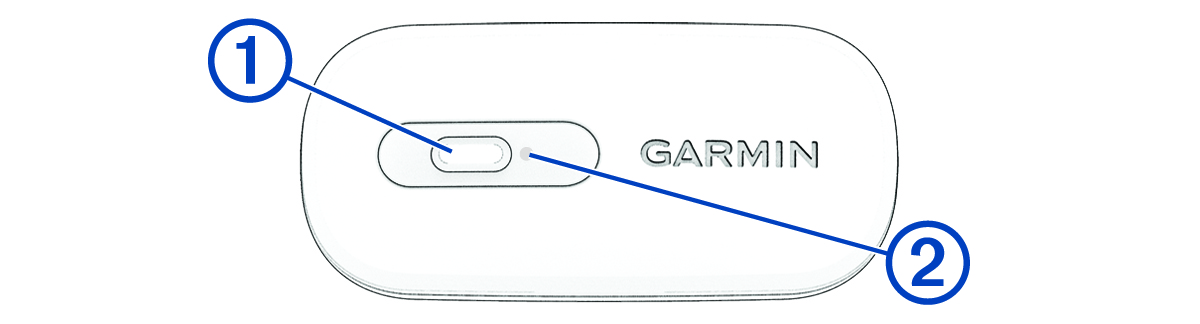
The LED  flashes
  when it is active and transmitting.
NOTE: The LED stops flashing after 2 minutes. You can press the button to restart the LED (Customizing the HRM 200 Settings in the Garmin Connect App).
- Check that your Garmin device supports the connection type indicated by the LED. If necessary, press the button twice quickly to toggle between connection types (Connection Types and LED Behavior).
- Hold the button for 4 seconds to enter pairing mode.
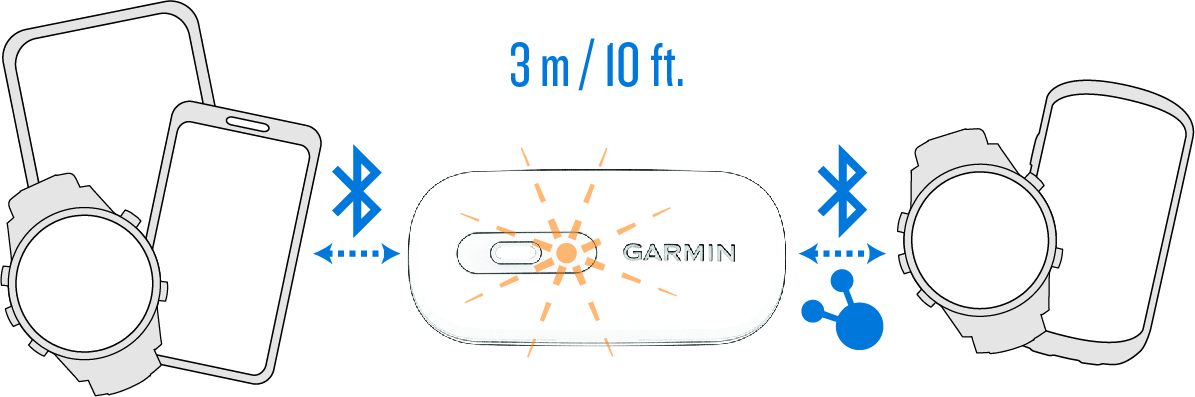
The LED flashes  continuously.
The HRM 200 is in pairing mode for 5 minutes.
To end pairing mode, you can hold the button for 4 seconds.
- Select an option:
- From your Garmin device, open the sensors menu to add the external heart rate sensor.
NOTE: The pairing instructions differ for each Garmin compatible device. See your owner’s manual.
- From your third-party device, open the Bluetooth settings.
The HRM 200 should appear in the list of available devices.
- Select the HRM 200.
After you pair the first time, your device automatically recognizes the HRM 200 each time it is active and in range.