Charging the Device
NOTICE
To prevent corrosion, thoroughly dry the USB port, the weather cap, and the surrounding area before charging or connecting to a computer.
Do not charge the device using the USB port in wet conditions. For all-weather charging, use the optional spine mount accessory (Garmin.com.sg/buy).
NOTE: The device does not charge when it is outside the approved temperature range (Specifications).
- Lift the weather cap
 .
.
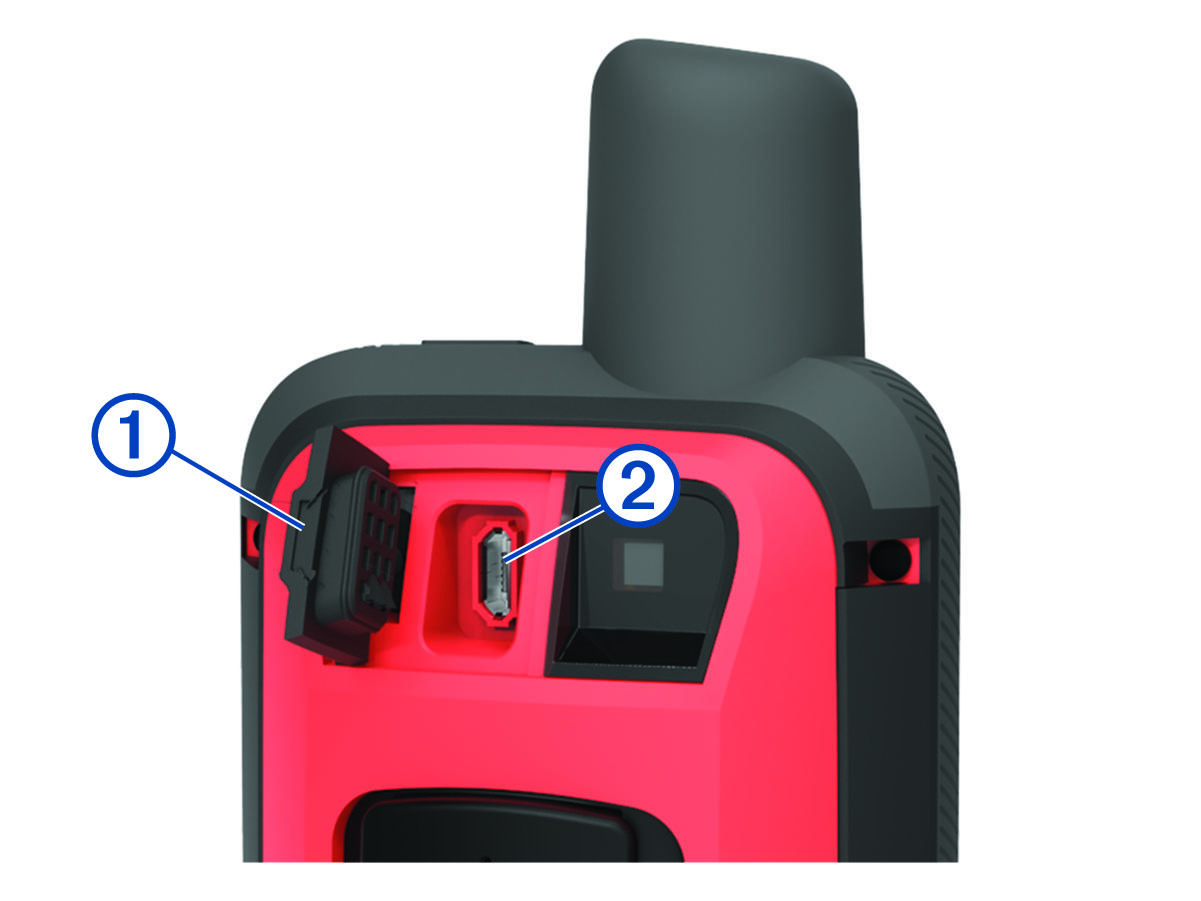
- Plug the small end of the power cable into the charging port
 on the device.
 - Plug the other end of the power cable into a compatible 5 V AC power adapter.
- Plug the AC power adapter into a standard wall outlet.
- Charge the device completely.