Connecting the Device to External Power
NOTICE
To prevent corrosion, thoroughly dry the USB port, the serial port, the weather cap, and the surrounding area before connecting to a computer or external cable.
Before you can connect the device to external power using a USB cable, you must change the serial interface setting to Garmin Spanner (Serial Interface Settings).
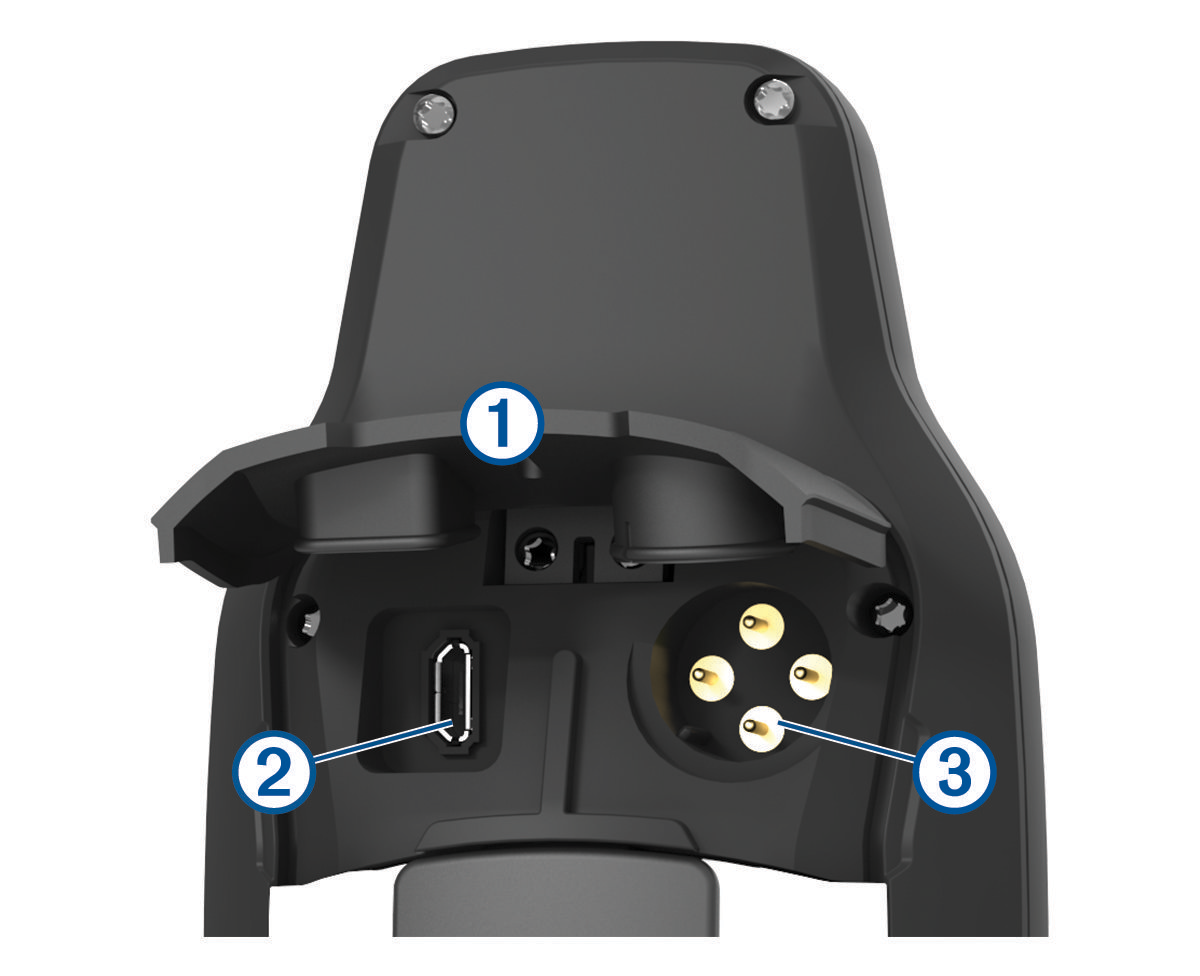
- Lift the weather cap
 .
.
- Select an option:
- To connect to a compatible 5 V AC power adapter (sold separately), connect the small end of the included USB cable to the USB port
 on the device.
 - To connect to a NMEA® 0183 device, connect a 12 V serial/data power cable (sold separately) to the serial port
 on the device.
Optional accessories are available at buy.garmin.com or from your Garmin dealer.
- To connect to a compatible 5 V AC power adapter (sold separately), connect the small end of the included USB cable to the USB port