Locating a Lost Mobile Device
You can use this feature to help locate a lost mobile device that is paired using Bluetooth wireless technology and currently within range.
- Hold LIGHT to view the controls menu.
- Select
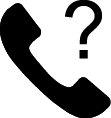 .
.The Garmin Swim 2 device begins searching for your paired mobile device. An audible alert sounds on your mobile device, and the Bluetooth signal strength displays on the Garmin Swim 2 device screen. The Bluetooth signal strength increases as you move closer to your mobile device.
- Select BACK to stop searching.