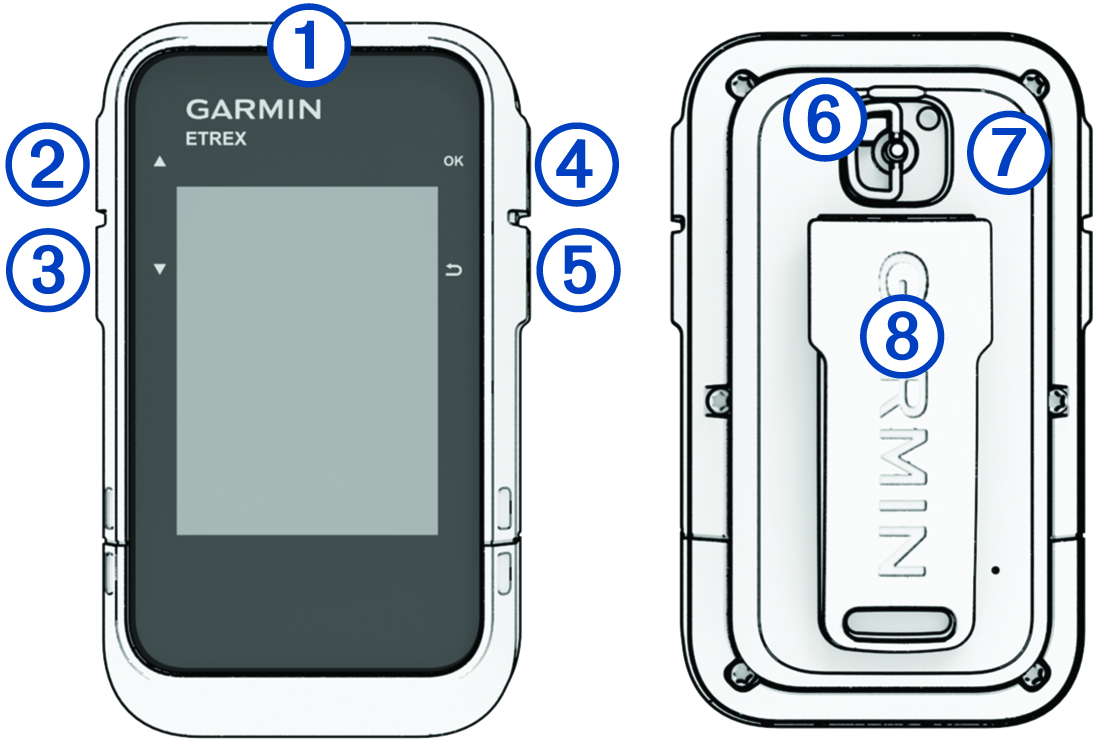
eTrex SE Device Overview
|
|
Hold to turn the device on. Hold to open the power menu. Press to turn the backlight on or off. |
|
|
Press to scroll through menus, options, and settings. |
|
|
Press to scroll through menus, options, and settings. |
|
OK
|
Press to choose an option or open the menu for a page. Hold to save your current location as a waypoint. |
|
|
Press to return to the previous page. Hold to view the glance loop. |
|
|
Battery cover D-ring. |
|
|
USB port (under battery door). |
|
|
Mounting spine. |