Installing a Memory Card
 WARNING
Do not use a sharp object to remove user-replaceable batteries.
You can install a microSD® memory card in the handheld device for additional storage or pre-loaded maps.
- Turn the D-ring counter-clockwise, and pull up to remove the cover.
- Remove the battery.
- Slide the card holder to the left and lift up.
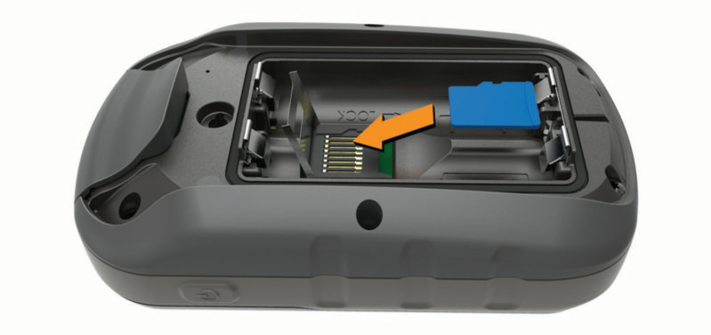
- Place the memory card with the gold contacts facing down.
- Close the card holder.
- Slide the card holder to the right to lock it.
- Replace the battery and cover.