Device Overview
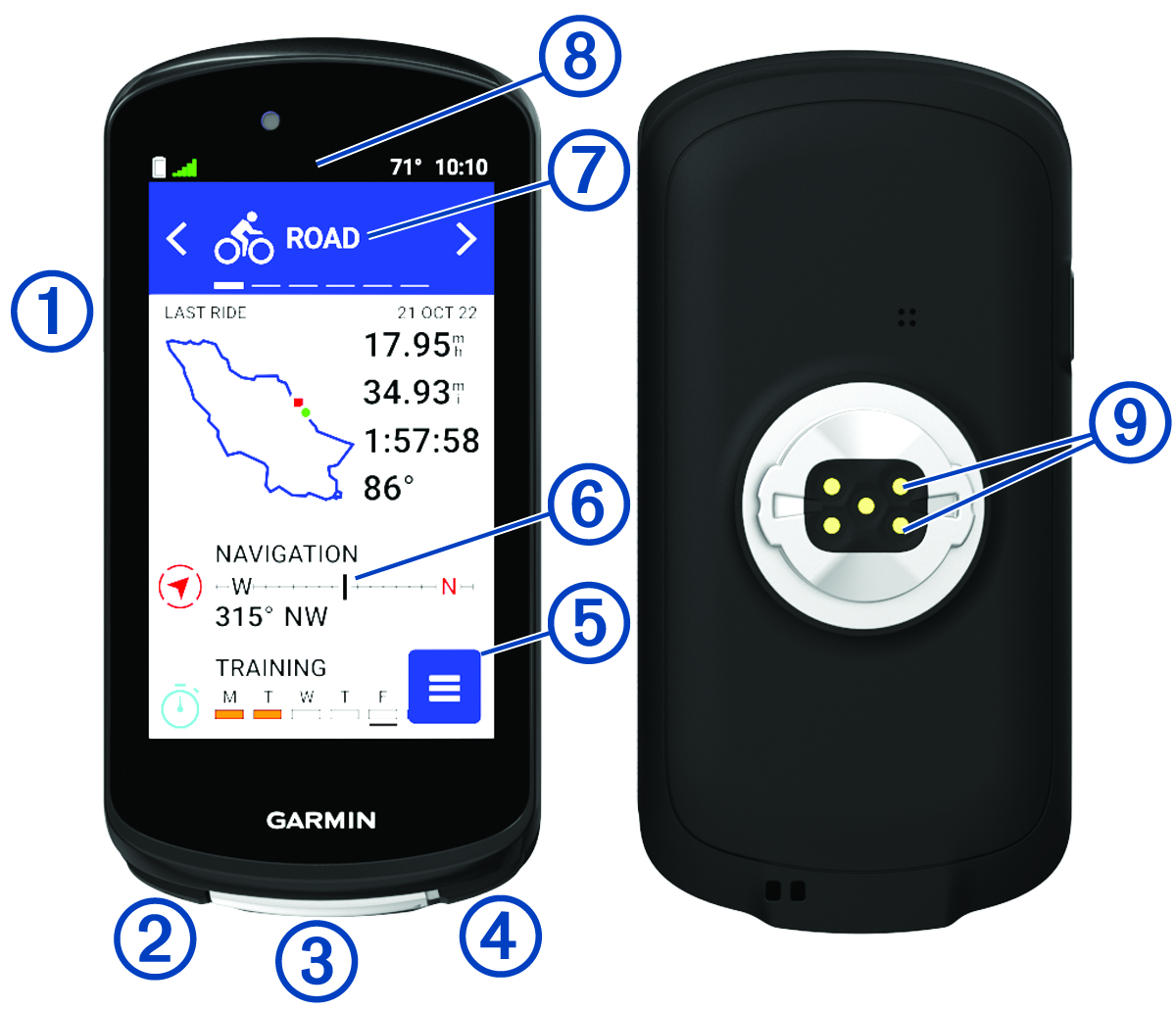
|
|
Press to enter sleep mode and wake the device. Hold to turn the device on and off and lock the touchscreen. |
|
|
Press to mark a new lap. |
|
USB port (under weather cap) |
Lift the weather cap to charge the device or connect it to a computer. Replace the weather cap to prevent damage to the USB port. |
|
|
Press to start and stop the activity timer. |
|
|
Select to open the main menu. |
|
Glances |
Swipe up or down on the home screen to view the glances. Select to open the glance or menu. |
|
Biking profile |
Swipe left or right to change the biking profile. Select to open the biking profile. |
|
Widgets |
Swipe down from the top of the screen to view the widgets, then swipe left or right to view more widgets. |
|
Electrical contacts |
Charge using an external power accessory. |











NOTE: Go to Garmin.com.sg/buy/ to purchase optional accessories.