Training Status
These measurements are estimates that can help you track and understand your training activities. The measurements require you to complete activities for two weeks using wrist-based heart rate or a compatible chest heart rate monitor. Cycling performance measurements require a heart rate monitor and a power meter. The measurements may seem inaccurate at first when the watch is still learning about your performance.
These estimates are provided and supported by Firstbeat Analytics. For more information, go to garmin.com/performance-data/running.
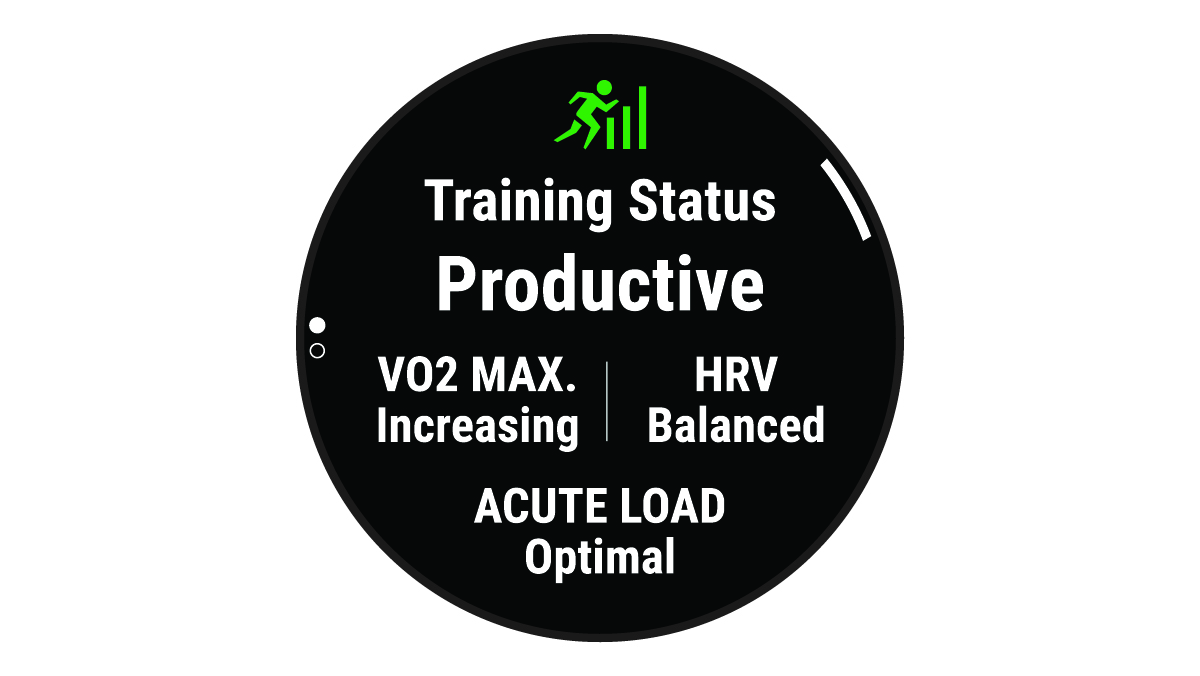
Training status: Training status shows you how your training affects your fitness and performance. Your training status is based on changes to your VO2 max., acute load, and HRV status over an extended time period.
VO2 max.: VO2 max. is the maximum volume of oxygen (in milliliters) you can consume per minute per kilogram of body weight at your maximum performance (About VO2 Max. Estimates). Your watch displays heat and altitude corrected VO2 max. values when you are acclimating to high heat environments or high altitude (Heat and Altitude Performance Acclimation).
HRV: HRV is your heart rate variability status over the last seven days (Heart Rate Variability Status).
Acute load: Acute load is a weighted sum of your recent exercise load scores including exercise duration and intensity (Acute Load).
Training load focus: Your watch analyzes and distributes your training load into different categories based on the intensity and structure of each activity recorded. Training load focus includes the total load accumulated per category, and the focus of the training. Your watch displays your load distribution over the last 4 weeks (Training Load Focus).
Recovery time: The recovery time displays how much time remains before you are fully recovered and ready for the next hard workout (Recovery Time).
Training Status Levels
Training status shows you how your training affects your fitness level and performance. Your training status is based on changes to your VO2 max., acute load, and HRV status over an extended time period. You can use your training status to help plan future training and continue improving your fitness level.
No Status: The watch needs you to record multiple activities over two weeks, with VO2 max. results from running or cycling, to determine your training status.
Detraining: You have a break in your training routine or you are training much less than usual for a week or more. Detraining means that you are unable to maintain your fitness level. You can try increasing your training load to see improvement.
Recovery: Your lighter training load is allowing your body to recover, which is essential during extended periods of hard training. You can return to a higher training load when you feel ready.
Maintaining: Your current training load is enough to maintain your fitness level. To see improvement, try adding more variety to your workouts or increasing your training volume.
Productive: Your current training load is moving your fitness level and performance in the right direction. You should plan recovery periods into your training to maintain your fitness level.
Peaking: You are in ideal race condition. Your recently reduced training load is allowing your body to recover and fully compensate for earlier training. You should plan ahead, since this peak state can only be maintained for a short time.
Overreaching: Your training load is very high and counterproductive. Your body needs a rest. You should give yourself time to recover by adding lighter training to your schedule.
Unproductive: Your training load is at a good level, but your fitness is decreasing. Try focusing on rest, nutrition, and stress management.
Strained: There is imbalance between your recovery and training load. It is a normal result after a hard training or major event. Your body may be struggling to recover, so you should pay attention to your overall health.
Tips for Getting Your Training Status
The training status feature depends on updated assessments of your fitness level, including at least one VO2 max. measurement per week (About VO2 Max. Estimates). Indoor run activities do not generate a VO2 max. estimate in order to preserve the accuracy of your fitness level trend. You can disable VO2 max. recording for ultra run and trail run activities if you do not want those run types to affect your VO2 max. estimate (Activities and App Settings).
To get the most out of the training status feature, you can try these tips.
- At least one time per week, run or ride outdoors with a power meter, and reach a heart rate higher than 70% of your maximum heart rate for at least 10 minutes.
After using the watch for one or two weeks, your training status should be available.
- Record all of your fitness activities on your primary training device, allowing your watch to learn about your performance (Syncing Activities and Performance Measurements).
- Wear the watch consistently while you sleep, to continue generating an up-to-date HRV status. Having a valid HRV status can help maintain a valid training status when you do not have as many activities with VO2 max. measurements.