PlaysLike Distance Icons
The PlaysLike distance feature accounts for elevation changes on the course, wind speed, wind direction, and air density by showing the adjusted distance to the green (PlaysLike Distance Factors). During a round, you can tap a distance to the green to view the PlaysLike distance.
TIP: You can configure what data is factored into the PlaysLike adjustments in the activity settings (PlaysLike Settings).
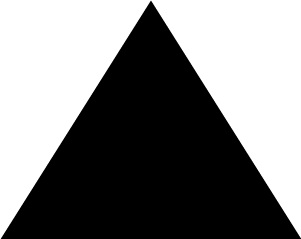 : Distance plays longer than expected.
 : Distance plays as expected.
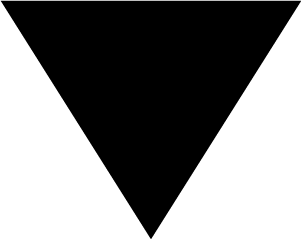 : Distance plays shorter than expected.
During a round of golf, you can view how much of the PlaysLike distance adjustments are due to elevation changes on the course, wind speed and direction, and air density.
Press START, and select PlaysLike.
 : The difference in the distance due to elevation changes.
 : The difference in the distance due to the wind speed and direction.
 : The difference in the distance due to the air density.
Hold MENU, and select Activities & Apps > Golf > Golf Settings > PlaysLike.
Wind: Enables wind speed and direction to be included in the PlaysLike distance adjustments.
Weather: Enables air density to be included in the PlaysLike distance adjustments.
Home Conditions: Allows you to manually change the altitude, temperature, and humidity settings used for the air density.
NOTE: It can be helpful to set weather conditions that match where you typically play. If they do not match the conditions at your normal course locations, the air density adjustments may seem inaccurate.