Hole View
The device shows the current hole you are playing, and automatically transitions when you move to a new hole. If you are not on a hole (for example, at the clubhouse), the device defaults to hole 1. You can manually change the hole (Changing Holes).
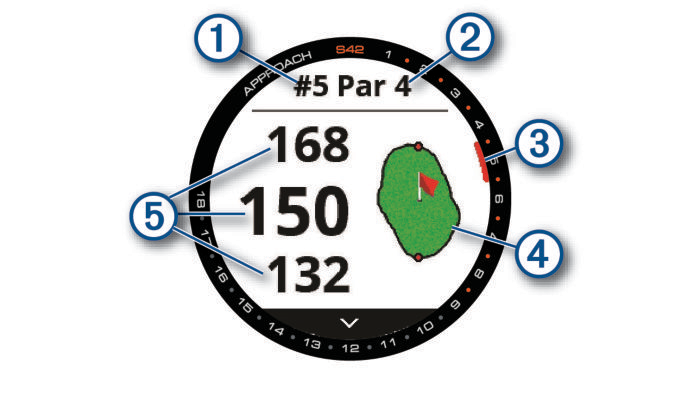
 : Current hole number.
 : Par for the hole.
 : Hole indicator.
 : Map of the green.
You can tap to move the pin location (Viewing the Green).
 : Distances to the front, middle, and back of the green.