LED Statuses
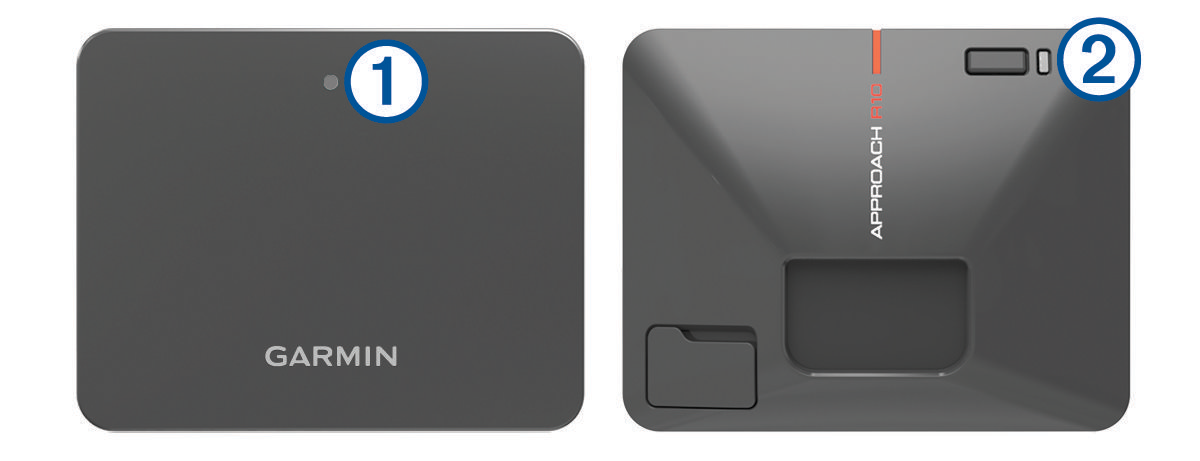
The status LED  indicates the device status. The charge LED
  indicates the battery status.
|
|
Status |
|
Solid blue |
The device is in pairing mode. |
|
Flashing blue |
The device is reconnecting to the previously connected smartphone. |
|
Solid white |
The device is in mass storage mode. |
|
Flashing white |
The device is in standby mode. |
|
Flashing green |
The device is ready for a shot. |
|
Solid red |
The device is busy. |
|
Flashing purple |
A software update is in progress. |
 Status LED Activity
 |
|
Status |
|
Flashing red |
The battery is charging. |
|
Solid red |
The battery is fully charged. |
|
Rapidly flashing red |
The device is unplugged and the remaining battery power is low. NOTE: The LED flashes rapidly for five seconds after the device is turned on if the battery is low. |
 Charge LED Activity