Preserving Battery Life Using Travel Mode

Before traveling or storing the Rally™ 110/210 pedals for an extended period of time, you should enable travel mode to preserve battery life.

  1. In the Garmin Connect™ app, select Menu symbol > Garmin Devices > Rally 110/210.
  2. Select Travel Mode > Enable Travel Mode.

The pedals turn off, and do not wake up automatically when motion is detected.

You must connect the pedals to a power supply to turn them back on.

Turning Off Travel Mode

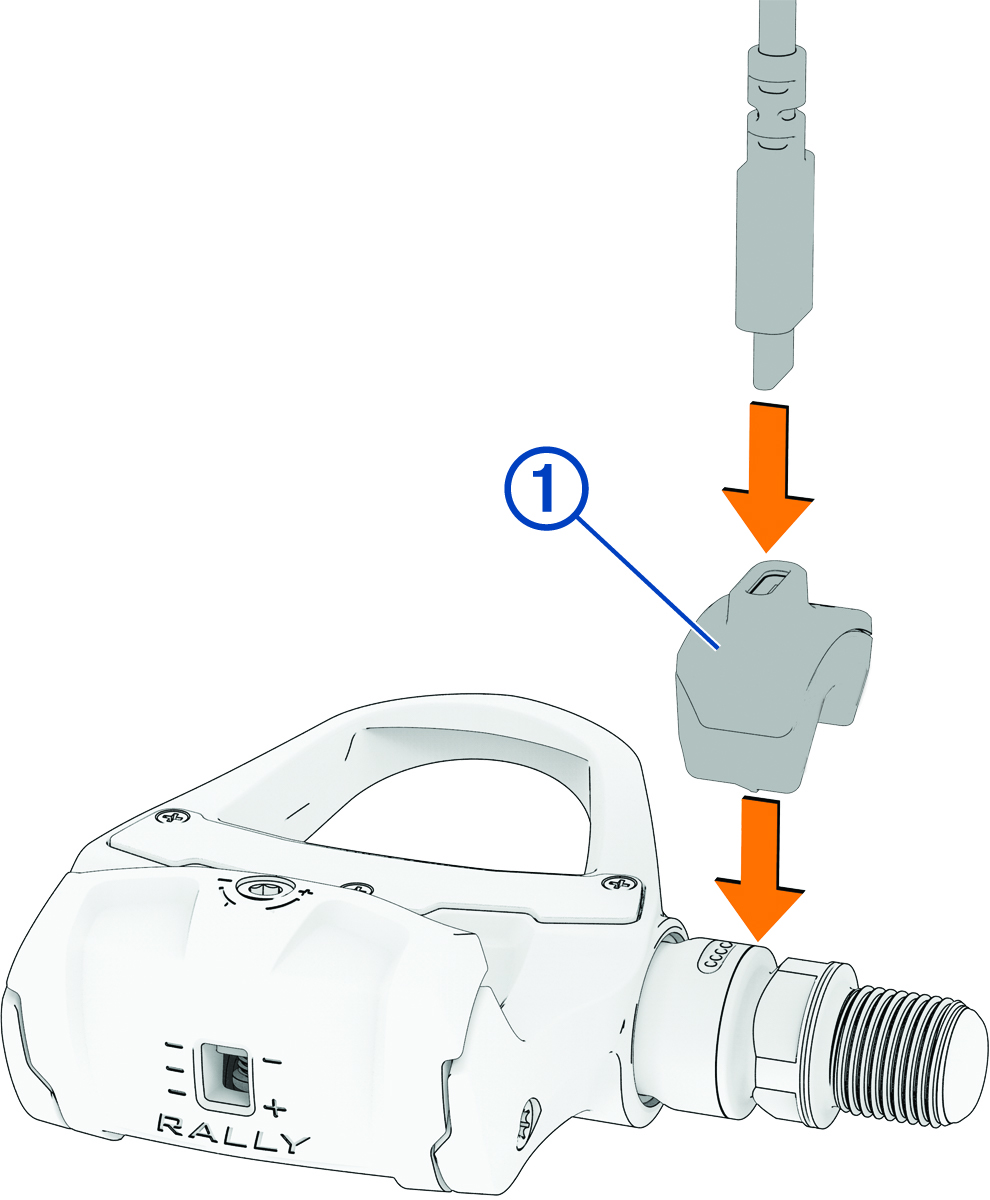
  1. Connect the USB-C® cable to the charging adapter 1.

    Tube of bike grease and the device
  2. Connect the charging adapter to the pedal spindle, aligning the pins on the charging adapter with the charging contacts on the pedal spindle.
  3. Connect the other end of the USB-C cable to a power supply, such as an AC adapter (not included).

    The LED on the threaded end of the spindle flashes green.

  4. Disconnect the charging adapter from the pedal.
  5. Repeat steps 1 through 4 for the other spindle (Rally 210 models only).
GUID-E17670DF-416F-455E-8444-29845F375EBD v1
August 2025